Cardboard dividers
Use small pieces of cardboard to separate different cable groups inside a drawer or storage box.
Budget Gear
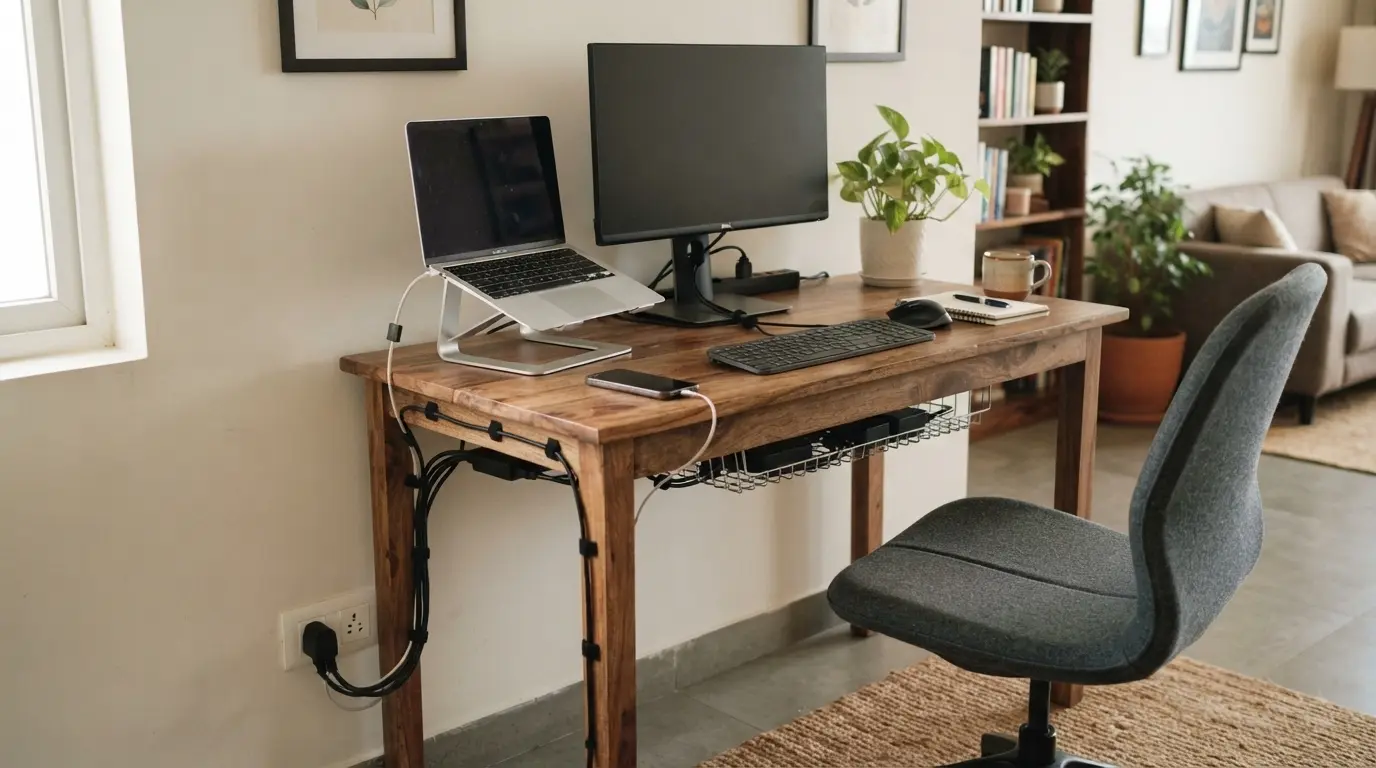
Use simple, low-cost cable management ideas to keep chargers, monitor cables and power cords organised without turning your desk into an expensive upgrade project.
Quick answer
Start with things you already have. Use reusable cable ties, clips, adhesive holders, cardboard dividers or simple containers to group and route cables. Spend money only where a small upgrade noticeably improves access or keeps cables off the floor.
Before buying cable clips or organisers, remove cables that are no longer needed. A desk often looks messy because several unused chargers, old USB cables and spare wires are mixed with the cables you use every day.
Unplug everything and identify the cables for your monitor, laptop, keyboard, mouse, phone charger and other regularly used devices.
Cable management becomes much easier when you reduce the number of cables first. This can cost ₹0.
Instead of letting every cable run separately, group cables that travel in the same direction.
Reusable cable ties or simple hook-and-loop straps can keep each group together while still allowing you to remove a single cable when necessary.
Cables become difficult to manage when they hang loosely across the entire desk. A simple solution is to create a predictable route from each device toward the back or side of the desk.
Small adhesive cable clips can help hold charging cables near the desk edge. This also makes frequently used cables easier to reach.
Keeping cables out of your main working area gives your keyboard, mouse and writing space more room. It also reduces the chance of accidentally pulling a cable while working.
You do not need a dedicated cable tray to create a cleaner desk. Several household items can work as temporary or low-cost cable organisers.
Use small pieces of cardboard to separate different cable groups inside a drawer or storage box.
Bundle longer cables with hook-and-loop straps so they do not spread across the floor.
Use an existing box or organiser to keep spare adapters and rarely used cables in one place.
If DIY solutions are not enough, spend a small amount on the part of your cable setup that causes the most frustration.
₹200–₹500
Useful for keeping frequently used charging cables and small wires in place.
₹500–₹1,000
Helpful when several cables need to travel together from your desk toward the power source.
₹1,000–₹1,500
Consider this when multiple power cables are hanging below the desk and basic clips are not enough.
The goal is not to hide every wire. The goal is to make your cables predictable, accessible and easy to maintain.
This approach keeps the focus on useful improvements rather than buying a complete cable-management kit.
Desk Ergonomics
Get your screen position right before spending money on additional desk accessories.
Read the monitor guide →DIY Ergonomics
Explore low-cost ways to change your working position without buying a complete standing desk.
Read the standing desk guide →Complete Setup
Put monitor height, laptop position, seating and budget upgrades together.
Build the complete setup →Keep upgrading smart
Start with free fixes, then spend only where an upgrade solves a real problem in your workspace.